
Music Pins in iOS 26 are one of the most useful new features added to Apple Music. They allow you to keep your favorite songs, playlists, albums, and artists at the very top of your Library, making daily listening faster and easier. Instead of scrolling through hundreds of tracks, pinned items stay fixed in one place for instant access.
This feature is especially helpful for users who listen to the same set of songs every day. Once pinned, your music becomes only one tap away, improving your overall Apple Music experience.
What Are Music Pins in iOS 26?
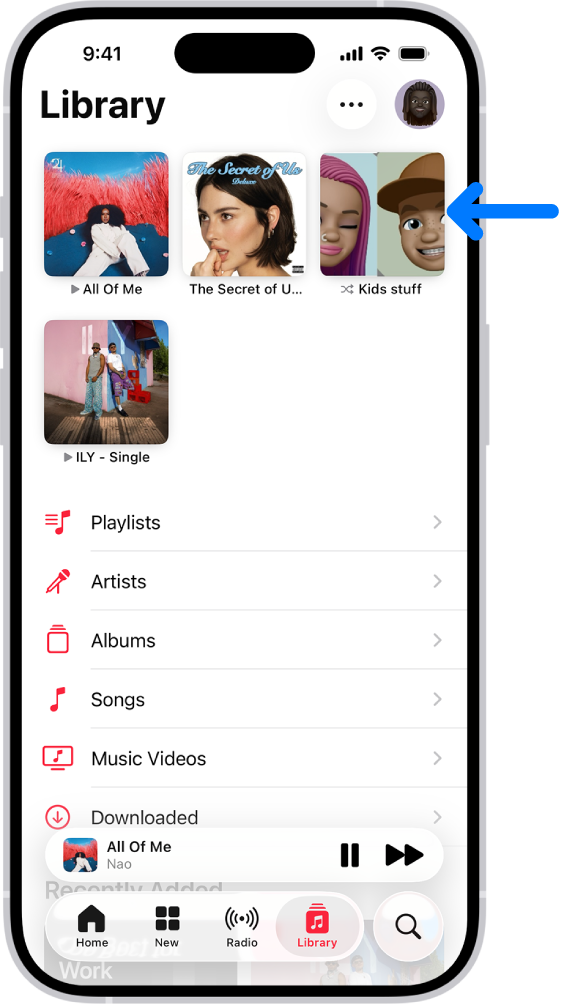
Music Pins are a new personalization tool inside Apple Music. When you pin any song, album, playlist, or artist, it appears at the top of your Library. This creates a clean, organized, and accessible music section where your top favorites always stay visible.
Even if your music library has thousands of tracks, pinned items never move from the top. This makes the library feel more organized, especially for users who want a simple, daily-use-friendly setup.
Why Music Pins Are Useful
Music Pins eliminate the need to scroll again and again. If your routine includes a few repeated songs or playlists, pinning them saves time every single day.
In addition, these pins work seamlessly with offline downloads, widgets, and sync support across devices — which makes them even more powerful.
Because of syncing, your pinned items stay the same on your iPhone, iPad, and Mac, providing a familiar and smooth experience everywhere.

How to Pin Music in iOS 26
Pinning music is extremely easy. Apple has made the process simple so that anyone can understand it instantly.
Steps to Pin:
- Open the Apple Music app
- Find the song, album, artist, or playlist you want to pin
- Long-press on it
- Tap the Pin option from the pop-up
- Your item instantly moves to the top of your Library
You can also use the three-dot (•••) menu to find the same pin option.
How to Unpin Music
Removing a pinned item is just as easy as adding one. The pinned items appear in a top section inside the Library.
Steps to Unpin:
- Long-press the pinned item
- Tap Unpin from the pop-up menu
- The item returns to its original position in your Library
The action is instant and can be performed anytime.

Offline Downloads for Pinned Music
When you pin something for the first time, iOS 26 asks you if you want to automatically download pinned items for offline listening.
This feature is extremely helpful for users with poor connectivity or those traveling frequently.
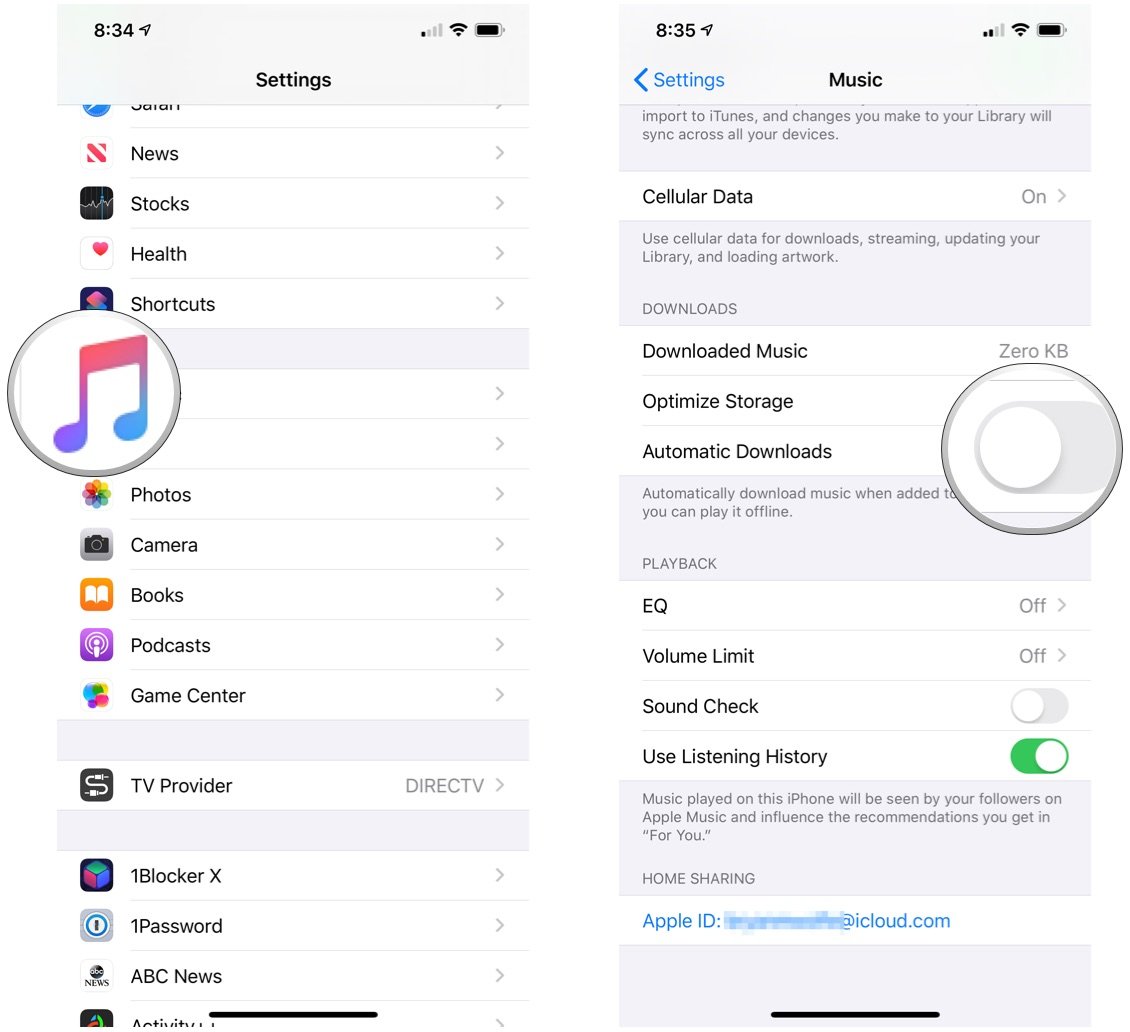
How to Enable/Disable Auto Downloads:
- Open Settings
- Scroll down and tap Music
- Find the Download Pins toggle
- Turn it ON to download pinned music automatically
- Turn it OFF to save storage
Pin Limit in iOS 26
In the beta version of iOS 26, Apple allows up to six music pins at a time.
This limit keeps the top section clean and visually balanced.
You can pin any combination:
- 6 songs
- 3 playlists + 2 albums + 1 artist
- 1 playlist + 5 songs
- Or any mix you prefer
It’s flexible, simple, and personalized to your listening style.
Pinned Music Widget in iOS 26
iOS 26 introduces a new Pinned Music Home Screen Widget.
This widget directly displays your pinned items on the home screen, letting you start music without opening the app.
A single tap launches your pinned playlist or song instantly — perfect for quick listening.

Sync Across All Apple Devices
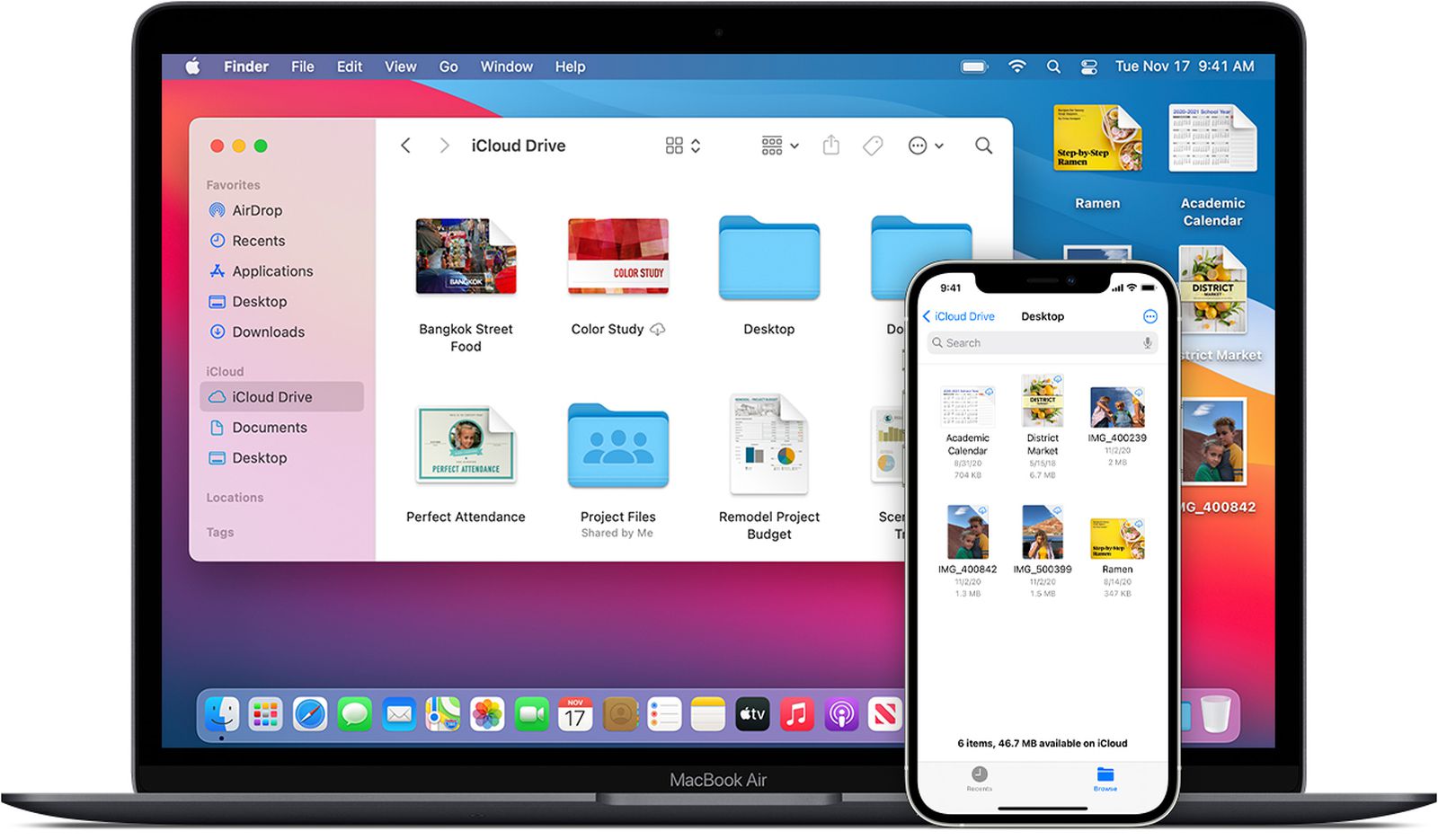
Music Pins sync automatically across all devices linked with your Apple ID.
This is one of the most powerful parts of the feature because your pinned list stays identical everywhere.
Pins sync on:
- iPhone
- iPad
- Mac
- Apple Music on the Web
- CarPlay
Everything stays consistent, giving you a smooth music experience no matter which device you use.
Other New Apple Music Features in iOS 26
Along with Music Pins, iOS 26 introduces several new tools to enhance the listening experience:
1. AutoMix
Creates smooth transitions between songs, similar to a DJ.
2. Lyrics Translation
Lets you view translated lyrics for foreign-language songs.
3. Lyrics Pronunciation
Helps you understand the correct pronunciation of hard words.
4. Animated Lock Screen Artwork
Shows live animated album art while playing songs.
5. Playlist Folders
A new way to organize large playlist collections easily.

Smart Tips for Using Music Pins Efficiently
- Pin your daily listening playlist
- Pin your current favorite album
- Pin long playlists for road trips
- Pin your favorite artist for quick access to new releases
- Pin study, workout, or language-learning playlists
These simple tricks help you make the best use of Music Pins.
Final Words
The best thing about Music Pins in iOS 26 is their simplicity. They keep your favorite music always one tap away. With offline support, widgets, syncing, and a clean interface, the feature makes Apple Music more powerful and convenient than ever.
If you listen to music daily, Music Pins are the perfect tool to save time and enjoy a smoother, faster listening experience.