
Spotify has become one of the most popular music streaming platforms globally, giving artists the chance to reach millions of listeners with their songs. For Indian artists, uploading music to Spotify provides a platform to gain recognition, appear on playlists, and grow a fanbase worldwide. Whether you are an independent singer, composer, or just someone passionate about music, learning how to upload your songs correctly is essential.
Uploading music requires not only talent but also understanding the process. Spotify itself does not allow direct uploads from independent artists. Therefore, using a trusted music distributor is crucial. Platforms like Muzartdisco simplify the entire process, making it beginner-friendly and quick. These distributors act as intermediaries, ensuring your songs meet Spotify’s requirements and reach global audiences.
Apart from professional releases, Spotify also allows personal music uploads. This is perfect for music enthusiasts who want to play rare or local tracks alongside mainstream songs. By following the right steps, both artists and users can enjoy a seamless experience on Spotify.
Step 1: Prepare Your Song Before Uploading
Before uploading, your song must meet Spotify’s quality and format standards. This ensures the best listening experience for your audience and increases the chances of your track being accepted.
- Audio Quality: Use a properly mixed and mastered WAV or FLAC file. Spotify prefers high-quality audio for streaming.
- Metadata: Include all necessary details such as song title, artist name, featuring artists, and genre. Accurate metadata ensures your song is correctly displayed.
- Cover Art: Create a high-quality image of 3000×3000 pixels in JPEG or PNG format. Your cover should be visually appealing and represent your song or brand.
Double-check everything before submission. Any mistakes in metadata, artwork, or audio quality can delay approval. Ensuring your files are ready reduces the chances of rejection and speeds up the release process.

Step 2: Create and Set Up a Muzartdisco Account
To distribute your music on Spotify, start by creating a Muzartdisco account. This platform is designed for Indian artists and provides step-by-step guidance for beginners.
- Go to the Muzartdisco website and sign up for a free account.
- After logging in, access your dashboard and select “New Release” to start your project.
- The platform allows your first release for free, making it ideal for new artists exploring digital distribution.
Muzartdisco ensures your music is correctly formatted, metadata is accurate, and artwork meets the requirements. It also guides you on choosing release dates and languages, helping you reach the right audience efficiently.
Step 3: Upload and Distribute Your Song
Once your account is ready, it’s time to upload and distribute your track. Spotify is the primary platform, but you can also select others such as Apple Music, Hungama, and JioSaavn.
- Upload your audio file and attach the cover art.
- Fill in all details like release date, genre, language, and explicit content settings.
- Review your submission carefully to ensure all information is correct.
- Submit your song for distribution.
The Muzartdisco team reviews your submission and sends your music to Spotify. Typically, your track goes live within a few days, making it available for global streaming.
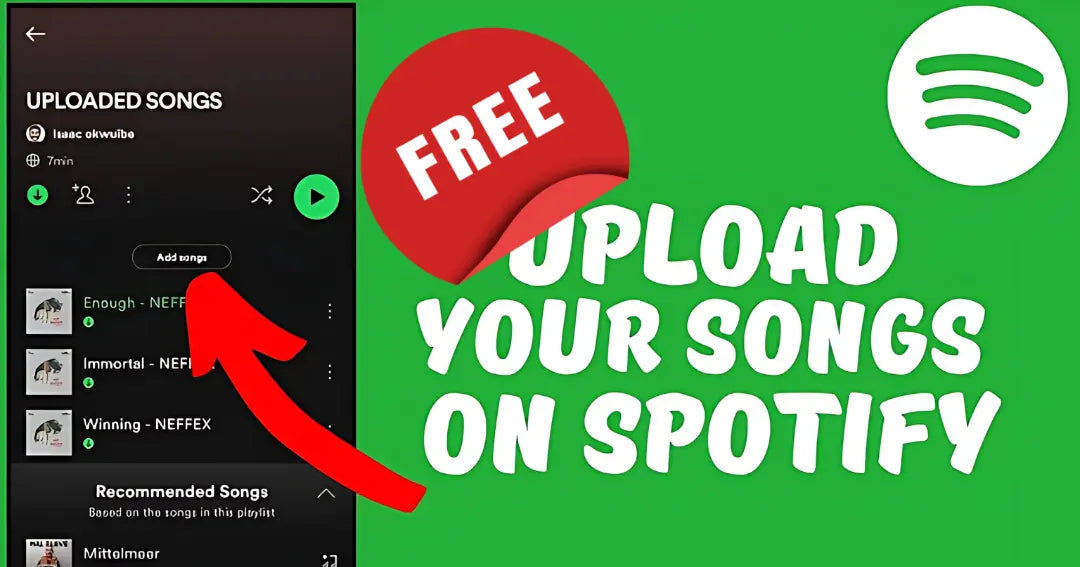
Step 4: Promote Your Song After Upload
Uploading your song is just the beginning. Promotion is key to reaching a wider audience and growing as an artist.
- Create a Spotify for Artists account to manage your music, track performance, and analyze audience insights.
- Pitch your song to Spotify playlist editors for better exposure. Playlists are a powerful tool to gain new listeners.
- Write a press release and share it with music blogs, magazines, and local media.
- Collaborate with social media influencers to amplify your reach.
Consistent promotion ensures your music does not get lost among millions of tracks. Engage with your audience, share behind-the-scenes content, and use social media strategically.
How to Upload Your Songs for Personal Use
Spotify also allows local music uploads, perfect for personal listening. This is ideal for rare, old, or local tracks that are not available on Spotify.
Uploading from Desktop (Windows or Mac)
- Open the Spotify desktop app and log in.
- Click your profile name and go to Settings.
- Scroll down and enable Show Local Files.
- Select folders such as Downloads or Music Library to include songs.
- Click Add a Source for additional folders.
- Go to Your Library > Local Files to find and play the tracks.
This method allows you to play personal tracks alongside Spotify playlists seamlessly.

Uploading from Mobile (Android or iPhone)
If you have Spotify Premium, you can sync local music to your phone:
- Create a playlist on your desktop Spotify app.
- Add local songs from your Local Files folder to the playlist.
- On your phone, connect to the same Wi-Fi network as your computer.
- Open Spotify on mobile and find the playlist.
- Tap Download to import the tracks.
- iPhone Users: Go to Settings > Local Files and enable “Local Audio Files.”
- Android Users: Songs sync automatically when connected to the same Wi-Fi.
You can now play your personal tracks offline just like other Spotify songs.
Useful Tips for a Better Spotify Upload Experience
- Ensure your files are properly named before uploading.
- Double-check the artwork quality and format.
- Maintain consistent branding for every release.
- Keep your Spotify for Artists profile updated with bio, photos, and social links.
- Promote your tracks on social media platforms to reach more listeners.
Following these steps ensures a smooth experience, whether you are uploading as an artist or for personal listening.

The Final Words
Learning how to upload songs to Spotify from India opens up opportunities for both creators and listeners. Artists can reach a global audience using distributors like Muzartdisco, while music lovers can enjoy personal tracks using local uploads.
With consistent effort, quality music, and strategic promotion, anyone can make Spotify a powerful platform for music discovery and growth. Start today, follow the steps carefully, and let your music reach listeners around the world.