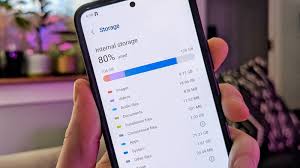
Many people face the problem of low phone storage. Photos, videos, apps, and downloads fill up space very quickly. But the good news is—you can increase phone storage without deleting apps. By using smart tricks, cloud backups, cache cleaning, and built-in phone tools, you can free up space safely.
You do not need to uninstall apps or lose your important data. Whether you use Android or iPhone, several methods help expand your usable storage instantly.
This guide explains how to check storage, back up files, clear junk, optimize photos, and use external tools to increase storage without deleting apps.
Why Phone Storage Gets Full Quickly
Modern smartphones generate huge amounts of data. High-resolution photos, long videos, WhatsApp media, offline maps, and downloads can fill your storage in weeks. Even system files and updates take space regularly.
Background apps also store cached files, thumbnails, and temporary audio/video data that stay hidden from normal users. Over months, these files can easily take 5–10 GB.
Understanding what fills your phone helps you manage it better without deleting apps.
1. Check Storage & Find What’s Taking Space
The first step is to see how your storage is being used.
On iPhone:
- Go to Settings > General > iPhone Storage
- You will see apps, system data, photos, and recommendations
On Android:
- Go to Settings > Storage or Battery & Device Care
- Tap Storage to view categories
Both phones show which apps and files consume the most space.
2. Offload or Disable Apps Instead of Deleting
You can keep apps installed but remove the extra files they store.
iPhone – Offload Apps
- Settings > General > iPhone Storage > Offload Unused Apps
This removes the app but keeps its data safe.
Android – Disable Apps
- Settings > Apps > Disable
It stops the app but does not delete it permanently.
3. Clear Hidden App Data & Downloads
Apps like Instagram, Facebook, Chrome, and Spotify store large cached data.
Android:
- Settings > Apps > Storage > Clear Cache
iPhone:
Reinstall apps that take large space because iPhone does not offer a direct clear cache option.

Optimize Photos, Videos & Media Without Deleting Apps
Photos and videos take the most space in phones. The camera quality gets better every year, and so do file sizes.
4. Enable Cloud Backup for Unlimited Space
Cloud backup is the best way to free storage.
Google Photos (Android + iPhone):
- 15 GB free
- Automatic backup
- Easy restore anytime
iCloud (iPhone):
- 5 GB free
- Works best with iOS
Dropbox / OneDrive:
- Great for multi-device users
Once your photos are backed up, you can delete local copies safely.
5. Use “Optimize Storage” Instead of Deleting Photos
iPhone and Google Photos both offer an option to keep smaller versions on the device.
iPhone:
- Settings > Photos > Optimize iPhone Storage
Google Photos:
- Backup & sync > Remove device copies
This saves huge space.
6. Stop WhatsApp & Telegram Auto-Download
Messaging apps download images, videos, documents automatically.
WhatsApp (Android):
- Settings > Chats > Media visibility Off
WhatsApp (iPhone):
- Settings > Chats > Save to Camera Roll Off
Telegram:
- Settings > Data & Storage > Auto-download media Off
These changes prevent unnecessary storage usage.

Clear Cache, Junk Files & Hidden Data
Clearing cache saves 2–5 GB instantly for most users.
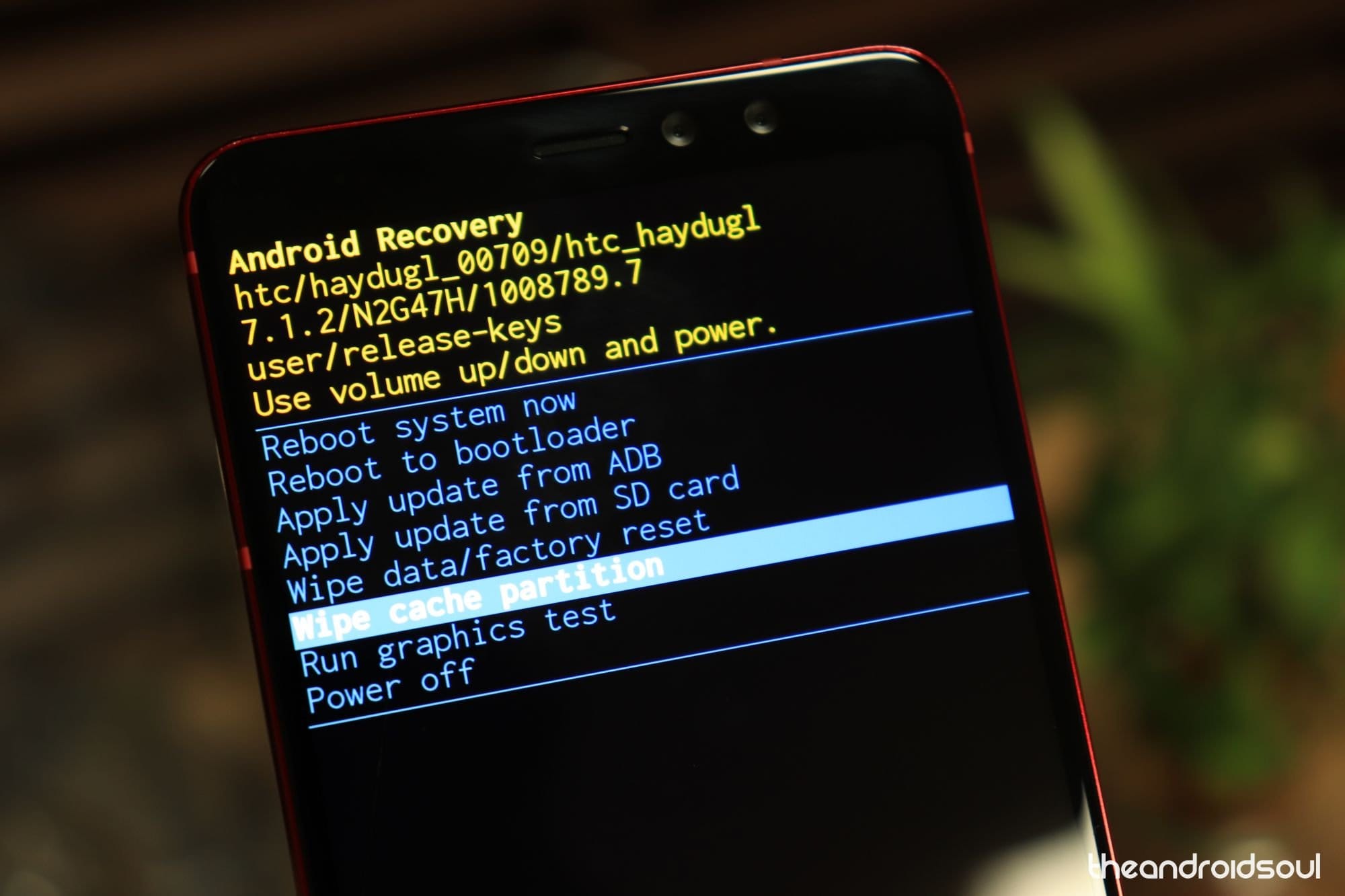
7. Clear System Cache (Android Only)
Some Android phones allow clearing system-level cache from recovery mode:
- Turn off phone
- Hold Power + Volume Up
- Select Wipe cache partition
This does not delete personal data.
8. Remove Duplicate Files & Screenshots
Duplicate images, memes, screenshots fill storage quickly.
Use these tools:
- Files by Google (Android)
- Smart Cleaner (iPhone)
- KeepClean (Android)
These apps automatically detect:
- Duplicate photos
- Extra screenshots
- Large files
- Junk files
9. Clean Downloads Folder
Most users forget about downloads.
iPhone:
Files App > On My iPhone > Downloads
Android:
My Files > Downloads
Delete unnecessary PDFs, APKs, ZIP files, and documents.
Use External Storage Options Without Losing Data
You can expand your storage without touching your apps.
10. Use OTG Pendrives
OTG pendrives work on both Android and iPhone.
- Plug OTG into phone
- Transfer old photos, videos, movies, documents
- Free 20–50 GB instantly
11. Use Memory Card (Android Only)
If your phone supports a microSD card:
- Insert SD card
- Move photos/videos
- Move supported apps to SD card
12. Use PC or Laptop Backup
You can connect your phone to a computer and transfer:
- Photos
- Videos
- WhatsApp media
- Documents
This frees a lot of internal storage.

Advanced Tricks to Increase Phone Storage
13. Use Lite Versions of Apps
Install these to reduce app size:
- Facebook Lite
- Messenger Lite
- Twitter Lite
- Instagram Lite
These apps use:
- Less storage
- Less RAM
- Less background data
14. Use Streaming Instead of Downloads
Avoid downloading:
- Music
- Movies
- Offline videos
Instead stream using:
- YouTube
- Spotify
- Netflix
This saves huge space.
15. Clear Offline Data from Maps & Apps
Google Maps offline maps can take 2–5 GB.
Go to:
Google Maps > Offline Maps > Delete unused maps
Other apps like Netflix, Prime Video, YouTube also store offline videos—remove them if not needed.

The End Note
You can Increase Phone Storage Without Deleting Apps very easily by using the methods above. First, check your storage and clear unnecessary data. Then optimize photos and use cloud backup to free large space. Clearing cache and duplicate files also gives an instant boost.
If you need more space, transfer files using OTG pendrives, SD cards, or cloud storage. Avoid unnecessary downloads and regularly remove junk files.
By following all these steps, your phone will run faster, smoother, and with more available storage—without deleting any apps.