
Microsoft has officially started rolling out a fresh Notepad update to Windows Insiders, delivering a smart blend of simplicity and modern productivity. The new version, 11.2510.6.0, is now available for users in both the Canary and Dev Channels, marking one of the most meaningful upgrades to Notepad in recent years. Even with small changes, the update has a major impact on writing comfort and workflow efficiency.
Notepad has long been valued as Windows’ most lightweight and distraction-free writing tool. But as Microsoft pushes Windows toward AI and modern editing features, Notepad is also getting smarter without losing its classic feel. The latest update introduces tables, faster AI streaming, and small quality-of-life enhancements to make editing more natural and organized.
With this release, it’s clear that Microsoft is reshaping Notepad to support modern writing needs while keeping its minimal interface intact. Whether users take notes, edit code snippets, create quick lists, or generate AI-powered content, Notepad now feels more capable than ever before.
Key Takeaways From the Latest Notepad Update
The update focuses on simplicity, performance, and better structure, making it ideal for everyday writing, technical work, and quick documentation. Here are the biggest highlights:
- Basic table support added for simple structured notes
- AI output now streams faster, appearing word-by-word
- Markdown table support included for quick formatting
- Editing tables is extremely easy with right-click actions
- Classic lightweight Notepad feel is fully preserved
These changes show Microsoft’s growing focus on blending minimal design with smart writing features.
Light Tables Finally Enter Notepad
One of the most surprising additions to Notepad is built-in table support. For the first time, users can insert table structures directly into their documents. This update transforms Notepad from a plain writing pad into a more organized tool that supports structured content.
Tables can be inserted using the new toolbar button or by writing in Markdown syntax, such as:
| Name | Age |
|------|-----|
| Sam  | 22  |
Notepad instantly recognizes and formats this into a clean table. This makes it easier to create checklists, comparison notes, tiny datasets, study notes, or quick work drafts. It also helps users keep information neat without relying on heavier apps like Word or Excel.

Why Table Support Matters
For decades, Notepad has only supported plain text with no layout structure. With table support, users now have lightweight formatting options that help them:
1. Organize Information Quickly
Instead of writing long sentences, lists can be made more readable.
2. Compare Data Easily
Even small side-by-side comparisons become cleaner and faster to read.
3. Improve Study and Work Notes
Students, coders, developers, and office workers can benefit from basic structured layouts.
4. Keep Writing Lightweight Without Switching Apps
No need to open Word or Excel for simple structured notes.
Microsoft’s goal isn’t to turn Notepad into a full word processor. Instead, tables give users a small but powerful boost to basic writing tasks.
Editing Tables Feels Very Easy
Microsoft has kept the editing experience clean and intuitive. Once a table is inserted, users can perform actions using simple right-click menus:
- Add new rows
- Remove columns
- Insert new columns
- Reorganize layout
No complex options, no heavy formatting — just simple actions that keep the writing flow smooth. The design stays true to Notepad’s minimal philosophy.
The table feature is intentionally lightweight. It’s not designed to replace Excel or Word. Instead, it enhances the basic text experience with structure and clarity.
Faster, More Responsive AI Output
AI has become a growing part of Windows tools, and now Notepad is benefiting from this shift. The update improves the built-in Write, Rewrite, and Summarize AI tools. These tools now display output in real-time using streaming.
Instead of waiting for the entire result to appear at once, the AI now generates text word by word, similar to modern chatbots. This makes the AI feel more natural, interactive, and responsive.
Why Streaming Matters
Before this update, AI tools felt slightly slow because users waited for the entire output. Streaming fixes that:
- Text appears instantly
- Users see results faster
- Editing decisions can be made early
- The writing feels more fluid and “alive”
This improves productivity, especially for longer rewrites and summaries.
AI Still Works the Same Way
While the speed improved, the core functionality remains unchanged. Users still need to:
- Sign in with a Microsoft account
- Use Copilot+ PC features for local Rewrite
- Use cloud support for Write & Summarize
Local processing on Copilot+ PCs ensures private, offline rewriting. Cloud-powered tasks ensure speed and reliability.
Microsoft wants Notepad to be a light but smart tool — not a heavy AI-powered word processor.
Notepad’s Journey Toward a Modern Editor
This update continues Microsoft’s long-term effort to modernize Notepad. Over the past few years, Notepad has evolved significantly:
- Support for tabs
- Dark mode
- Spellcheck and autocorrect
- Character count feature
- Markdown support
- AI-based editing tools
The new table feature and AI streaming bring Notepad closer to modern writing apps — but without losing the minimal look that users love.
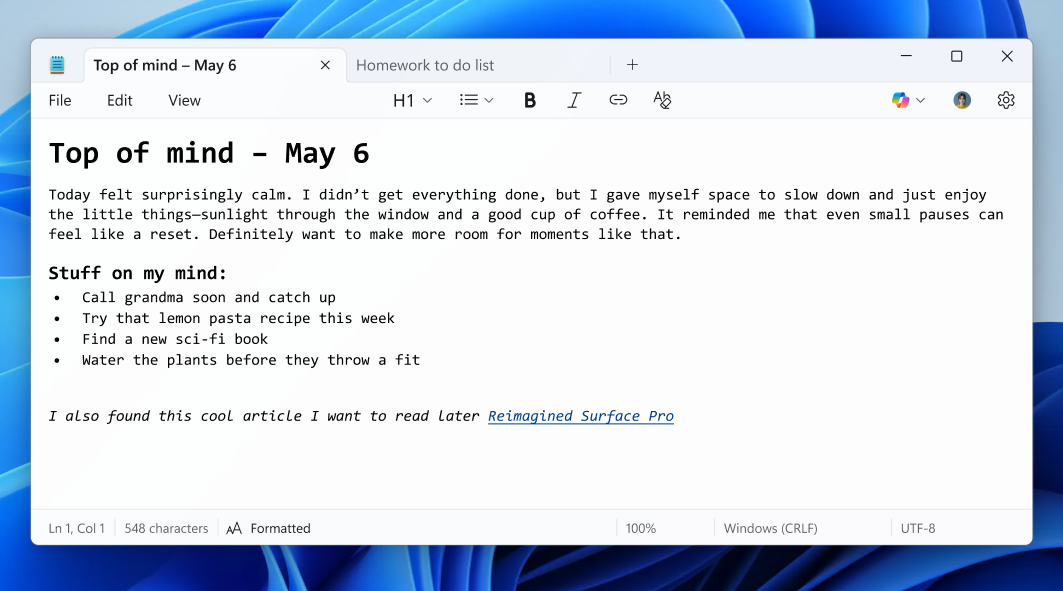
Notepad now sits comfortably between a plain text editor and a lightweight note-taking app. It does more than before, yet still opens instantly and stays distraction-free.
Core Notepad Behavior Stays Unchanged
Despite new features, the classic Notepad experience stays intact:
- Opens instantly
- Works smoothly on all devices
- Handles plain text without distractions
- Remains lightweight and fast
- Keeps file sizes minimal
This balance ensures long-time users still feel comfortable while new users enjoy modern features.
Microsoft intentionally avoids adding heavy formatting tools that could slow the app down. Instead, the focus remains on simplicity with optional enhancements.
Why Microsoft is Updating Notepad So Frequently
The Windows ecosystem is shifting toward:
- AI-powered tools
- Lightweight productivity
- Faster workflows
- Simple user interfaces
Notepad fits perfectly into this new ecosystem as a minimal writing space enhanced with smart features. Microsoft understands that millions of users still rely on Notepad for quick tasks, coding, logs, lists, and notes.
By updating Notepad gradually, Microsoft ensures the app stays relevant while remaining familiar to everyone who prefers a clean writing space.
Benefits of the Latest Update: Real-World Use Cases
1. For Students
Creating quick notes, tables, or study summaries becomes much easier.
2. For Writers and Bloggers
AI streaming improves idea generation and rewriting content faster.
3. For Developers and Coders
Tables help with small data comparisons, and Markdown support helps with documentation.
4. For Office Professionals
Checklists, meeting notes, and comparison data become more organized.
5. For General Users
Simple everyday writing becomes smoother and more structured.
This update doesn’t make Notepad complex — it makes it smarter.
Future Possibilities for Notepad
If Microsoft continues at this pace, future Notepad updates might include:
- More Markdown formatting
- Smarter AI corrections
- Real-time grammar improvements
- Expanded table features
- Cloud sync for quick notes
- Collaboration tools
Microsoft wants Notepad to remain the fastest editing tool on Windows, but with enough modern features to support casual and professional workflows.
The End Note
The latest Notepad update rolling out to Windows Insiders brings meaningful improvements that enhance productivity without harming the simplicity that made Notepad iconic. Basic table support, faster AI streaming, and intuitive editing tools make writing smooth, organized, and modern.
Despite growing features, Notepad still maintains its clean, classic, lightweight feel. Microsoft’s balanced approach ensures both old and new users stay happy. As the update continues rolling out, Windows Insiders can try every feature today and share their feedback to shape future improvements.