
WhatsApp is rolling out a powerful new Media Hub for Mac and Web users, delivering a more organized and efficient way to access shared files. This new feature is designed to help users manage photos, videos, documents, GIFs, and links without scrolling endlessly through chats. It works as a single, centralized library that saves time and improves workflow.
This upgrade marks a significant step toward WhatsApp’s goal of improving user productivity. As conversations grow, media files multiply—and finding old content becomes increasingly difficult. The Media Hub solves this by bringing every shared file into one neat location.
Currently, the Media Hub is available only to select users on WhatsApp Web and Mac. Meta is testing the feature gradually before expanding it globally. After positive feedback and performance testing, it is expected to roll out to all users soon.
The Media Hub is accessible through a simple button on the WhatsApp sidebar. One click opens the entire media history of your account. You no longer need to open individual chats to find a file. Whether it’s a business PDF or an old family photo, everything becomes easier to locate.
This makes WhatsApp more useful, especially for users who rely on the platform for work, school, or collaboration. With fast access and a cleaner view, file management becomes effortless. WhatsApp is gradually shifting from a basic chat app to a more professional communication tool.
Meta is gathering feedback from early users to fix issues, polish the interface, and ensure smooth performance. Beta testers have already reported that the Media Hub works quickly and reduces clutter across chats.
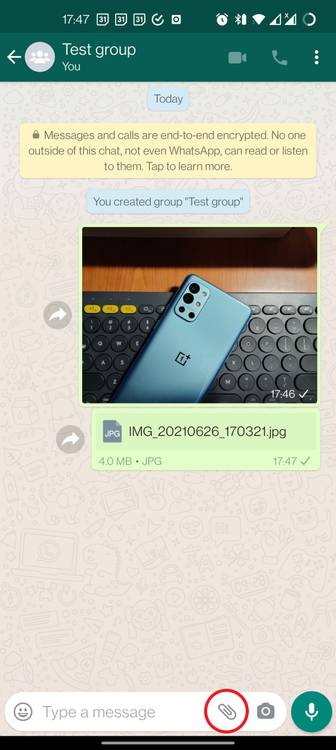
Main Features of WhatsApp’s New Media Hub
The Media Hub brings several time-saving features designed for easier file management. Each tool helps users locate, organize, or clear media more efficiently.
1. Centralized Media Access
With this feature, all shared files from all chats appear in one organized space. Instead of checking each chat individually, you simply open the Media Hub and everything is there—photos, videos, documents, links, GIFs, and more.
This helps reduce confusion and saves a huge amount of time. It is especially beneficial for professionals who receive dozens of files daily.
Removing the need to search manually across chats makes WhatsApp feel more advanced and better suited for productivity.

2. Integrated Smart Search Bar
One of the best additions is the smart search bar. It scans through all media instantly and lets users search by:
- Contact name
- Keyword or caption
- File type
- Date shared
This helps locate old files quickly, even if they were shared years ago. Students, office workers, and professionals can search entire file archives in seconds.
The search bar ensures no important file gets lost in long chat histories. Whether you’re looking for an assignment, a meeting PDF, or a memorable photo, it becomes extremely easy to find.
3. Multi-Select and Bulk Management
The Media Hub allows selecting multiple files at once for:
- Deleting
- Exporting
- Forwarding
- Downloading
This is especially useful when cleaning up storage or sharing multiple files with someone quickly. Managing large batches of files becomes smooth and efficient.

4. Sort Media by Size or Date
Sorting options help users filter files based on:
- Newest to oldest
- Oldest to newest
- Largest to smallest
- Smallest to largest
Sorting by size is perfect for clearing large videos that take up too much space. Sorting by date helps revisit older memories or important older documents easily.
This style of organization is something users have requested for years. Now, WhatsApp finally offers it in a clean and simple interface.
5. Clean and Fast Interface
The Media Hub includes a minimal, distraction-free layout. It loads files quickly and displays them in a clean grid format. The UI fits naturally inside WhatsApp Web and Mac without feeling complicated.
Switching between chats and media takes only one click. The sidebar placement makes it easy to use without disrupting conversations.
6. Smart Filters for Organized Search
Smart filters allow users to narrow down results based on:
- Media type (photo, video, GIF, document)
- Sender
- Date
- Keyword
This reduces file clutter and helps users focus on what they need instantly.
Why the Media Hub Matters for Users
The upgrade is extremely valuable for people who handle many files daily. The more active your chats, the more important this feature becomes.
Professionals can quickly find and manage work documents. Students can locate study materials without scrolling. Families can revisit travel photos or personal memories easily.
The Media Hub improves:
- Productivity
- File accessibility
- Storage management
- Workflow efficiency
It’s especially useful for users who work across multiple devices—Mac at work, PC at home, and phone on the go.
WhatsApp is evolving into a serious communication and collaboration tool, and features like this push it further in that direction.
Currently, the Media Hub is rolling out only to limited beta users. Once the system becomes stable and reliable, Meta will launch it globally.
Other WhatsApp Updates Rolling Out Alongside Media Hub
WhatsApp has introduced several new features recently, showing its focus on performance, security, and user convenience.
1. WhatsApp for Apple Watch
Users can now:
- Send voice messages
- See message history
- Receive and answer calls
This makes WhatsApp more accessible, especially when the phone isn’t nearby.
2. Strict Account Protection Mode (Android)
This mode defends accounts against cyberattacks, unauthorized logins, and malware threats. It helps keep your chats and personal information secure.
3. Enhanced Business Tools
WhatsApp Business users now get more controls for:
- Automated replies
- Catalog management
- Customer interactions
These updates support small businesses and improve customer experiences.

The Final Words
WhatsApp rolling out Media Hub on Mac and Web is one of the biggest improvements for file organization and user productivity. With centralized media access, smart search, sorting options, and bulk management, WhatsApp becomes more powerful and user-friendly than ever.
This feature will benefit students, professionals, businesses, and families once it rolls out globally. It reduces clutter, simplifies communication, and saves time—all while keeping WhatsApp clean and efficient.
When the global rollout begins, millions of users will finally enjoy a smarter, faster, and more organized WhatsApp experience.