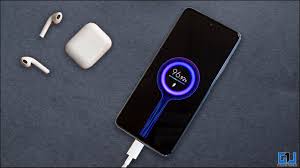
Have you ever wanted your Android phone to look cooler while charging? The standard battery icon can feel boring and plain, but with a custom charging animation, you can add personality and style to your device. Learning how to set a custom charging animation on Android is easier than you think and can completely transform your charging experience.
Custom charging animations are not just for aesthetics—they can provide useful information. Many apps display battery health, charging speed, temperature, and even alert you when your phone is fully charged. This can help improve battery life and prevent overcharging.
Android devices are highly customizable, and this includes your lock screen and charging visuals. Whether you have a Samsung, Xiaomi, OnePlus, or Google Pixel device, you can use third-party apps to add animations, personalized images, or interactive themes to make charging fun.
Why Add a Custom Charging Animation?
Adding a custom charging animation is more than just visual appeal. It can enhance your phone experience by providing real-time battery information in a stylish manner. You can choose animations that reflect your personality or match your home screen theme.
Additionally, some apps allow you to set alarms for full charge, preventing battery degradation from overcharging. Visual cues also help you quickly see if your phone is charging at fast, normal, or slow rates.
Animations can also be interactive. For example, some apps respond to touch or allow you to swipe to change themes. This makes your charging screen dynamic and engaging rather than static and plain.

Best App to Set Custom Charging Animation: Ultra Charging Animation
One of the most popular apps for custom charging animations on Android is the Ultra Charging Animation App. It is beginner-friendly, requires no coding, and works on most devices.
Main Features:
- Set Alarm: Receive an alert when your battery is fully charged.
- Battery Info: View health, capacity, temperature, and charging speed.
- Live Animations: Select from multiple color themes and animation styles.
- Custom Images: Use personal photos or gallery images as your charging animation.
How to Use Ultra Charging Animation App:
- Open Google Play Store on your Android device.
- Search for Ultra Charging Animation and install the app.
- Open the app and tap Get Started.
- Grant necessary permissions to allow the app to display animations.
- Tap Animation and choose your preferred animation style.
- Turn on the Enable Charging Animation switch.
- Tap Apply Animation to save your selection.
Now, whenever you plug in your charger, the selected animation or image appears automatically on your lock screen, making the charging experience more exciting.
Other Top Apps for Custom Charging Animation on Android
While Ultra Charging Animation is excellent, there are several other apps worth exploring:
1. Mega Charging Animation
- Lets you design creative charging screens.
- Displays battery level, charging status, and full charge alerts.
- Provides complete control over your screen animation and effects.
2. Battery Charging Animation Screen
- Free and light on system resources.
- Offers charging animations, notifications, and timers.
- Lets you control music while your phone is charging.
- Supports fast charging, USB, and wireless charging.
3. True Amps: Battery Companion
- Offers adjustable and beautiful animations.
- Allows changing the animation’s size, position, and opacity.
- Lets you add images from your gallery to personalize your screen.
These apps allow you to customize your charging screen without rooting your device or requiring technical knowledge.

Custom Charging Animation on iPhone vs Android
While Android offers more flexibility with third-party apps, iPhone users can also create custom charging animations using the Shortcuts app. With automation, iPhones can display animations, play sounds, or even show images when plugged in.
Popular iPhone apps include Charging Sounds and Effects and Charging Animation, which automate animations and provide visual feedback. However, unlike Android, iPhone customization is somewhat limited due to Apple’s security restrictions.
Android users have the advantage of choosing from a wide range of apps like Ultra Charging Animation, True Amps, or Mega Charging Animation. These apps give you full control over animation styles, images, and battery notifications.
Tips for the Best Custom Charging Animation Experience
To make the most out of your custom charging animation, follow these tips:
- Ensure Compatibility: Some apps may not work on all Android devices. Check device compatibility before downloading.
- Keep Animations Light: Overly complex animations can consume battery. Choose smooth, optimized animations.
- Combine with Battery Alerts: Use apps that show charging speed and health for more than just aesthetics.
- Experiment with Themes: Try different colors, styles, and images to match your home screen or mood.
- Update Apps Regularly: Developers release updates that add new animations and improve compatibility.

Why You Should Try Custom Charging Animations
Custom charging animations aren’t just about looks—they improve user experience. They provide immediate feedback on battery status, offer reminders to unplug your phone, and make a routine task more fun.
For tech enthusiasts and creative users, these animations can also reflect personal style. Whether you prefer minimalistic designs, neon themes, or animated characters, there’s a solution available.
Moreover, by combining animations with battery info and alarms, you can maintain battery health efficiently. This makes charging both stylish and functional.
Final Words
Now you know exactly how to set a custom charging animation on Android. Apps like Ultra Charging Animation, Mega Charging Animation, and True Amps make charging your device more exciting and interactive.
With these apps, you can add animations, alarms, battery info, and even personal images. Experiment with different themes, monitor your battery health, and enjoy a fun charging experience every day. Every time you plug in your charger, your phone will light up with style and creativity, making a routine task more enjoyable.
Custom charging animations are an easy way to enhance your phone, improve user experience, and showcase your personal style. Try them today and give your Android device a fresh new look every time you charge.