
Scheduling posts on Facebook Pages is one of the smartest techniques for creators, influencers, and brands in 2025. As online competition increases, consistency and timing have become the biggest factors for success on social media. Luckily, Facebook now provides powerful tools that allow you to schedule posts effortlessly and maintain a professional presence without being online all the time.
Whether you manage a personal brand, small business, digital agency, or multiple social pages, knowing how to schedule posts helps improve efficiency and ensures your audience receives high-quality content at the right moment. Instead of manually publishing every day, you can plan your entire week—or even a whole month—in advance.
Meta Business Suite, along with several third-party scheduling platforms, makes content planning extremely smooth. These tools help you publish posts automatically, track performance, and create an organized workflow. In this guide, you will learn everything about how to schedule posts on Facebook Pages in 2025 with step-by-step instructions, screenshots, examples, tools, and expert tips.

Why Scheduling Facebook Posts Matters in 2025
Posting manually can be tiring, especially when managing multiple pages. Scheduling ensures your content stays consistent without requiring you to be active all day. This consistency improves your engagement, reach, and brand identity.
In 2025, Facebook’s algorithm rewards consistent posting. Pages that publish regularly at optimized times usually gain more impressions and reach more users. By automating your posting schedule, you ensure quality content goes out even when you are busy, sleeping, or traveling.
Scheduling also helps you stay ahead of trends. You can plan seasonal content, festival posts, promotional updates, and weekly campaigns in advance. This reduces stress and strengthens your social media strategy.

Key Takeaways
- Scheduling posts helps maintain consistency, save time, and reach your audience at the best time.
- Meta Business Suite allows native scheduling for both Facebook and Instagram.
- Tools like Hootsuite and Planable support multi-platform scheduling and team collaboration.
- A strong posting strategy requires timing, regularity, branding, and analytics review.
How to Schedule Posts on Facebook Pages Using Meta Business Suite
Meta Business Suite is the official Facebook tool for scheduling posts. It supports Facebook Pages and Instagram accounts together, providing a clean dashboard to manage everything in one place.
This tool is completely free and accessible on desktop and mobile. Whether you’re planning a simple photo post or a complete month-long content calendar, Meta Business Suite gives you all the essential features.
Here’s how you can schedule Facebook posts step-by-step using Meta Business Suite.
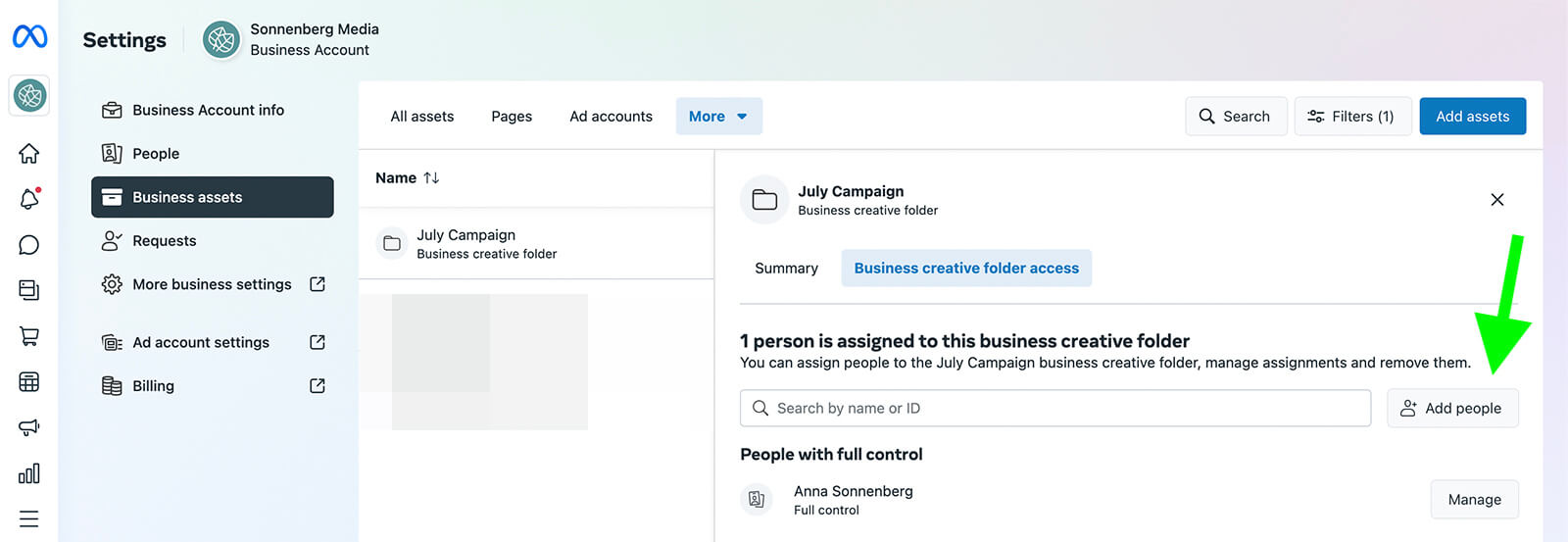

Step-by-Step Guide to Scheduling Posts
1. Open Meta Business Suite
Log in to your Facebook account and open the Page you manage.
Click Meta Business Suite from the left menu.
This opens your main dashboard where you can view insights, messages, posts, and planner tools.
2. Create Your Post
Click Create Post.
Add your caption, images, links, or videos.
A live preview will appear on the right side showing how your post will look.
3. Set a Date and Time
Enable the option Schedule or Set Date and Time.
Choose when you want your post to publish automatically.
Facebook will even suggest the best posting times based on your audience activity.
4. Click Schedule
Once your content is ready, just click Schedule.
Your post will now appear in the Planner section.
You can later open it to edit, reschedule, or delete it.
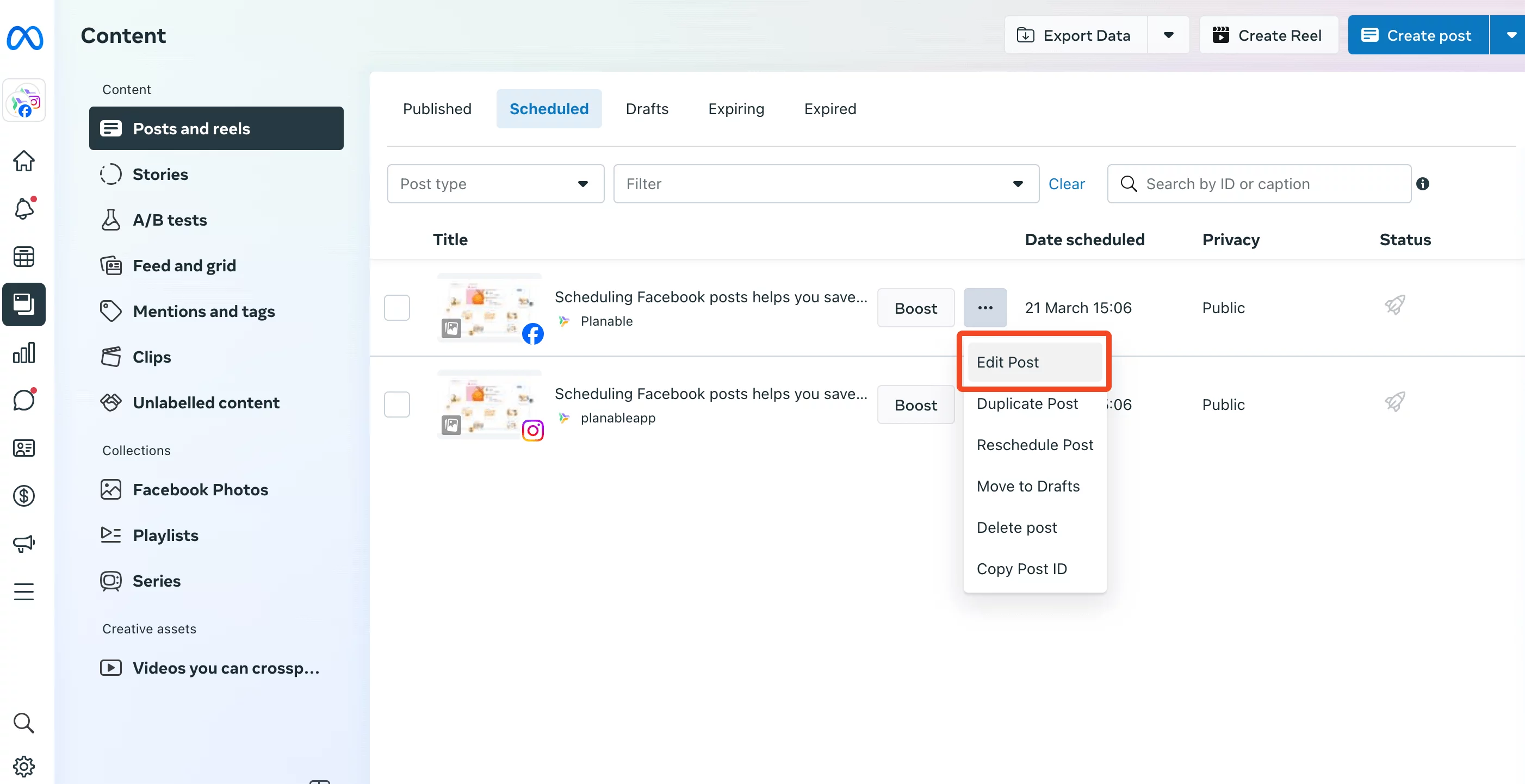
Editing Your Scheduled Posts
To edit your scheduled posts:
- Go to Content
- Select Posts and Reels
- Click Scheduled
- Tap the three dots next to your post
- Choose Edit Post, make changes, and reschedule
This flexibility lets you make quick updates anytime.
Advantages of Scheduling with Meta Business Suite
- Super easy to use
- Helps you stay consistent
- Suggests best posting times
- Supports both Facebook and Instagram
- Free for all users and creators
However, Meta Business Suite only supports Facebook and Instagram. If you want to schedule content across multiple platforms like TikTok, YouTube, LinkedIn, or X (Twitter), you must use a third-party scheduler.
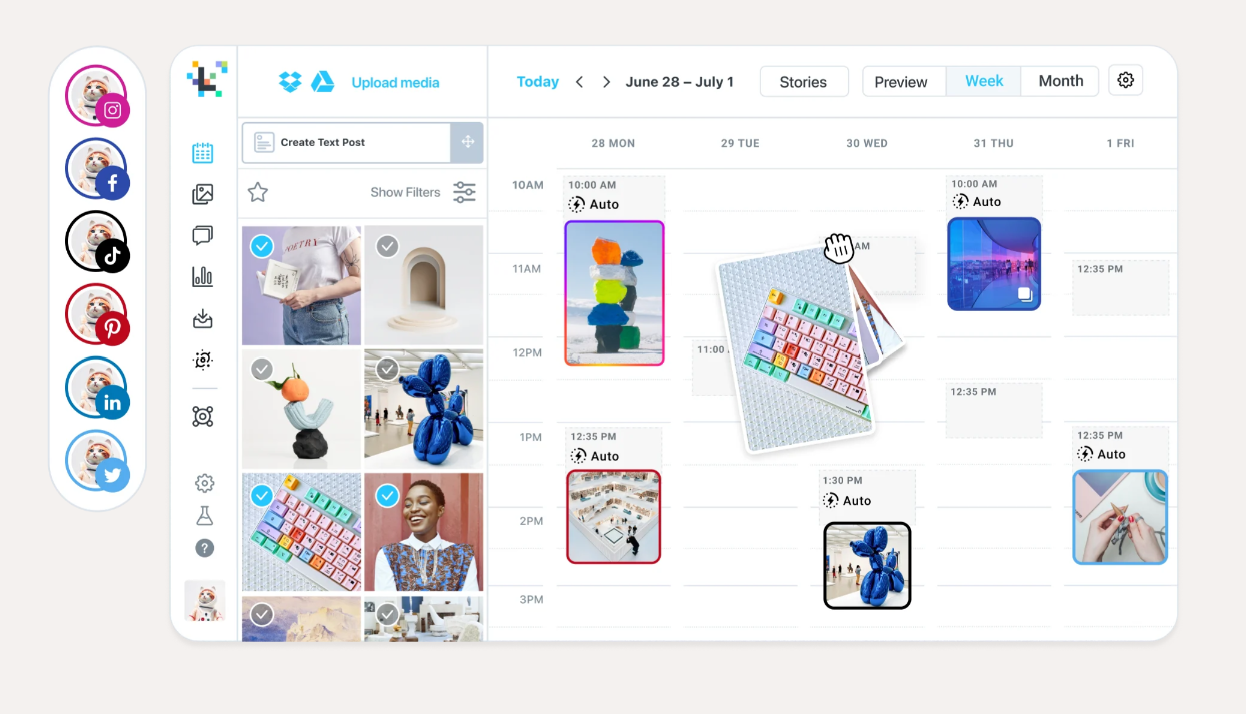
How to Schedule Posts on Facebook Pages Using Third-Party Tools
Third-party scheduling tools provide more advanced features such as multi-platform publishing, team collaboration, analytics tracking, bulk scheduling, and AI tools. Two of the most popular tools in 2025 are Hootsuite and Planable.
These tools are ideal for agencies, brands, or creators managing multiple clients or platforms simultaneously.
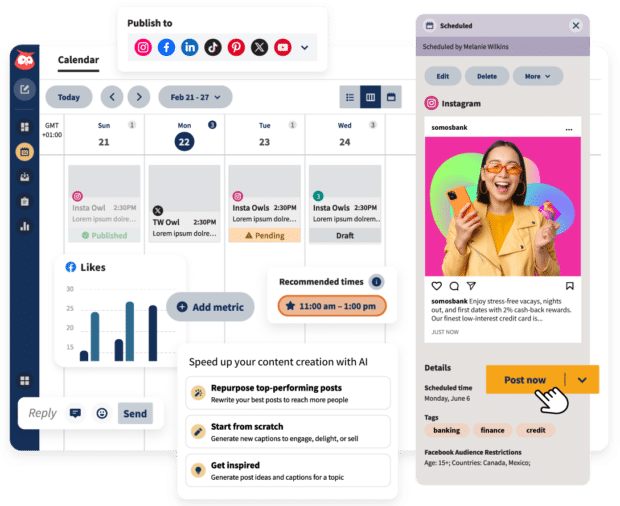
Scheduling Posts Using Hootsuite
Hootsuite is one of the oldest and most trusted social media management tools. It supports Facebook scheduling along with Instagram, LinkedIn, YouTube, and X. Hootsuite also provides AI writing tools, analytics dashboards, and calendar planning.
How to Schedule with Hootsuite
- Sign up for a Hootsuite account
- Connect your Facebook Page
- Click Create Post
- Add your caption, image, or video
- Use features like hashtags, link tracking, or AI captions
- Click Schedule for Later
- Select the posting time
- Save it to publish automatically
Bulk Scheduling Feature
Hootsuite allows you to schedule up to 350 posts at once using a CSV file.
This is useful for agencies, news publishers, or brands with frequent posts.
Editing or Pausing Scheduled Posts
Open Planner, click your scheduled post, and choose:
- Edit
- Reschedule
- Pause
- Delete
Everything is customizable in just one click.

Scheduling Posts Using Planable
Planable is known for its clean interface and team collaboration features. It supports Facebook, Instagram, LinkedIn, TikTok, YouTube, and more.
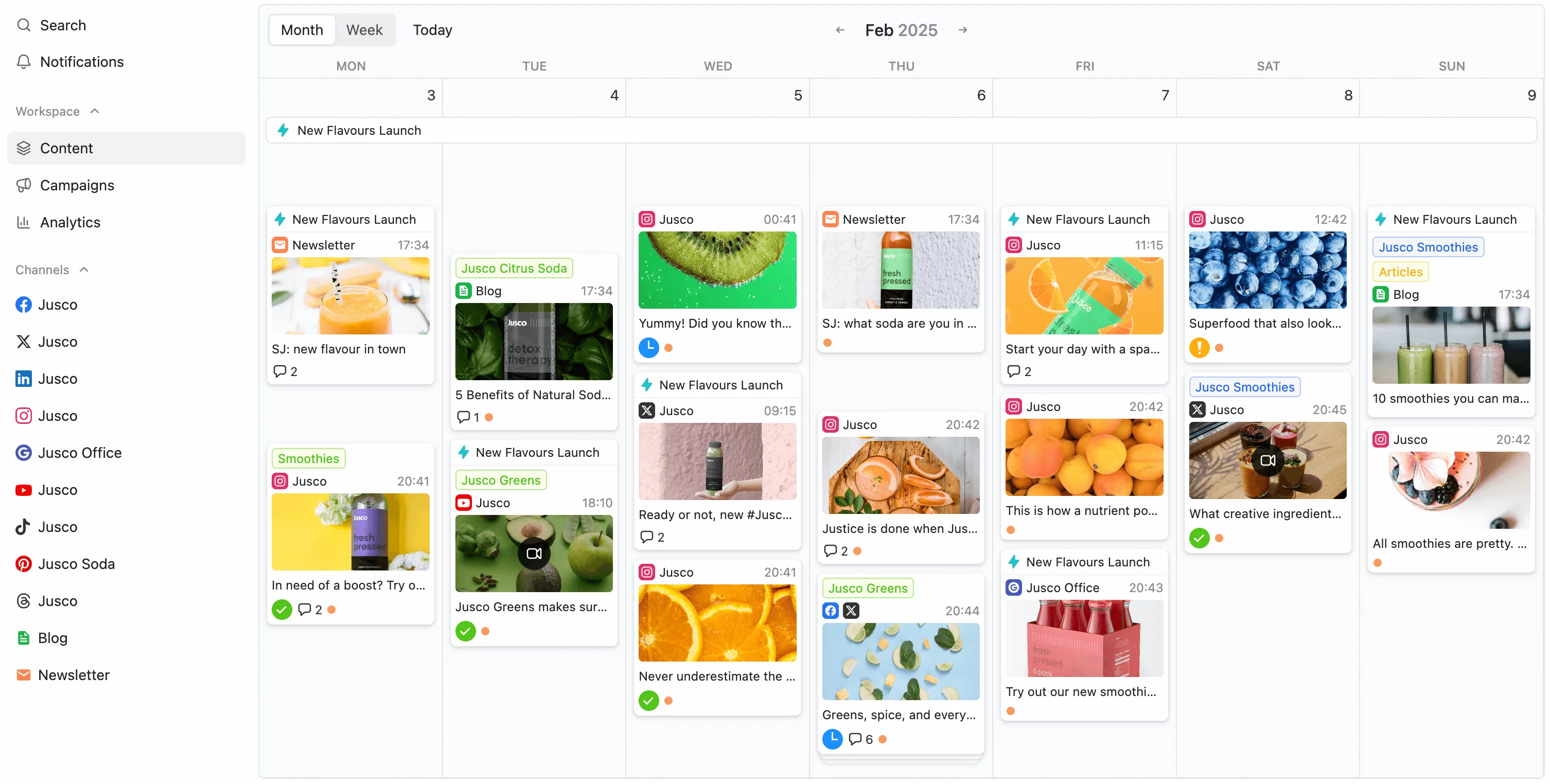
It is especially popular among creators and agencies because it feels like a real social media mockup tool where you can preview posts exactly as they will appear.
How to Use Planable to Schedule Posts
- Sign up on Planable
- Create a workspace
- Connect your Facebook Page
- Click Compose
- Add your visuals and text
- Select your Page
- Choose the posting time
- Click Schedule
Features of Planable
- Calendar, Grid, Feed, and List views
- Team approvals & comments
- Media Library for storing images
- Recurring post scheduling
- GIPHY integration for GIFs
- Supports multiple brands & pages
Planable is perfect for teams that require approval workflows before publishing content.
Tips for Scheduling Facebook Posts Effectively
Scheduling posts is powerful, but doing it strategically produces the best results. Here are important tips to maximize your engagement:
1. Stay Consistent
Consistency is more important than frequency. Even posting 3–4 times a week can help your page grow.
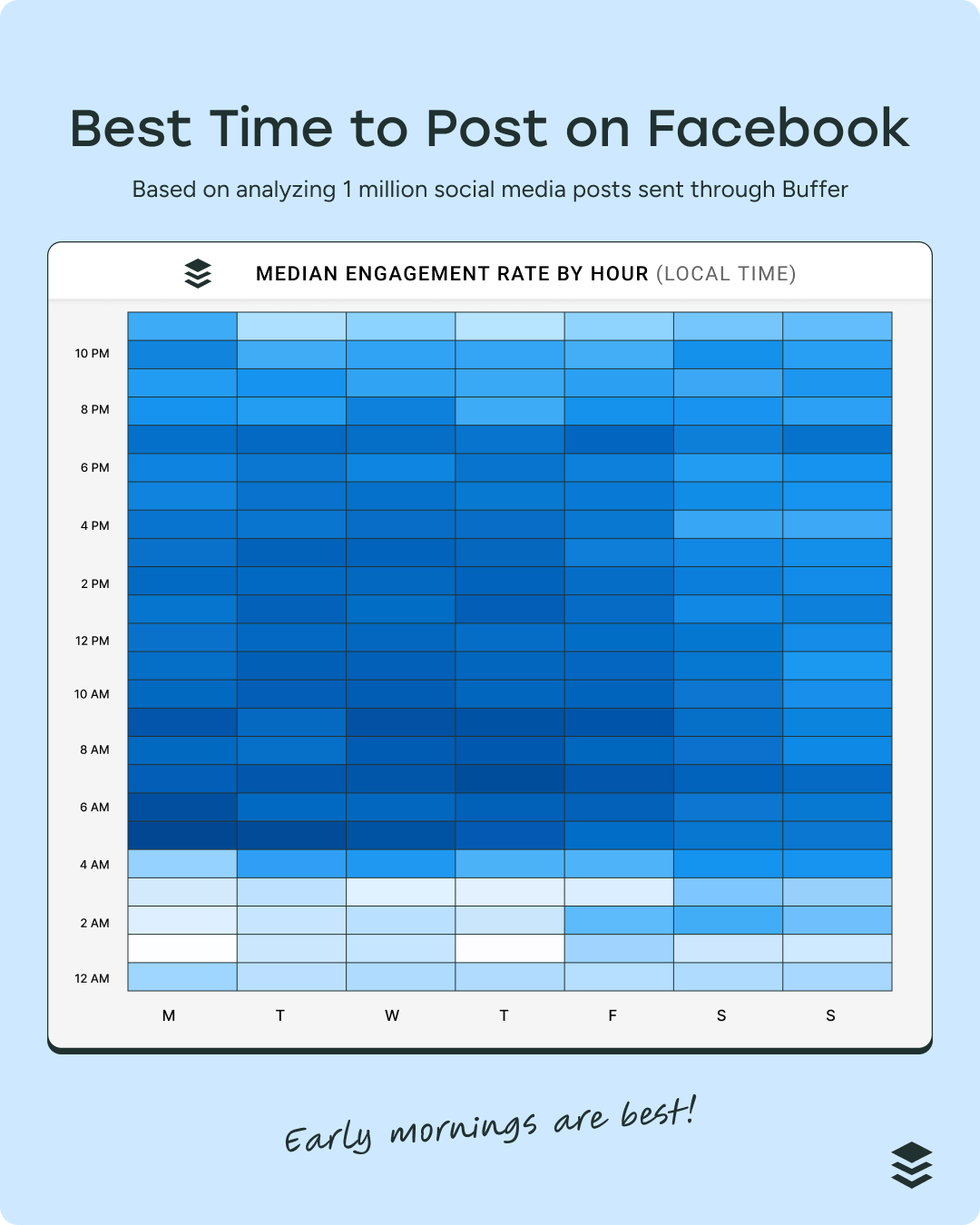
2. Post at the Right Time
Early mornings (7 AM–10 AM) and evenings (6 PM–9 PM) work best for most pages.
Use analytics to track when your audience is active.
3. Maintain Your Branding
Use the same logo, tone, colors, and style in every post.
4. Review Scheduled Posts Regularly
Always check your scheduled posts if something sensitive happens in the news. Pause or delete posts when required.
5. Track Performance
Analyze post reach, likes, comments, link clicks, and audience demographics.
Use this data to improve your future posts.
6. Maintain a Content Mix
Use the 80/20 rule:
- 80% original helpful content
- 20% curated or promotional content
7. Prepare Content in Advance
Create content when you’re feeling creative and schedule it for later.
Final Words
Learning how to schedule posts on Facebook Pages in 2025 is one of the most important skills for creators and brands. With Meta Business Suite, Hootsuite, and Planable, managing your social media becomes easier, faster, and more organized.
By scheduling posts ahead of time, you can stay consistent, reach your audience at peak times, and maintain a strong online presence—even on busy days. Use the tips and tools shared in this guide to build a powerful and effective Facebook strategy.